AtlasAR is the most feature-rich free 3D viewer and augmented reality plugin for WordPress and WooCommerce. Upload unlimited 3D models, let visitors interact with products in full 360-degree 3D, and place them in real-world spaces using AR on both iOS and Android — directly in the browser, no app downloads needed.
Whether you run a WooCommerce furniture store, a home decor shop, or any WordPress site that needs interactive 3D content, AtlasAR gives you everything you need — for free — with powerful Pro upgrades available when you are ready to scale.
Live AR Demos | Pro Pricing & Features | Video Tutorials | Documentation
Why Store Owners Choose AtlasAR
- Unlimited 3D model uploads — No file count or size restrictions, even in the free version
- True cross-platform AR — Native iOS (USDZ Quick Look) + Android (Scene Viewer) out of the box
- Native WooCommerce integration — Automatic “View in AR” button on product pages, zero coding
- AI-powered 3D model generation — Create 3D models from text prompts via Tripo3D API integration
- Works with any page builder — Gutenberg block, Elementor, WPBakery, Divi, Beaver Builder, or
[atlas_ar]shortcode - Performance optimized — Async loading, lazy loading on shop archives, fast mobile rendering
- Pro features available — Dimensions, hotspots, product configurators, auto-compression
How to Set Up AtlasAR
See Augmented Reality in Action on Mobile
Supported 3D File Formats
- .GLB (GL Binary) — 3D viewing on Android, desktop, and web browsers
- .GLTF (GL Transmission Format) — 3D viewing on Android, desktop, and web browsers
- .USDZ — Native iOS AR Quick Look for iPhone and iPad
Page Builder & Theme Compatibility
AtlasAR works seamlessly with all major WordPress page builders and themes:
- Gutenberg — Native block editor support with a dedicated AtlasAR block
- Elementor — Use the
[atlas_ar]shortcode in any Elementor widget - WPBakery Page Builder — Shortcode compatible
- Divi Builder — Shortcode compatible
- Beaver Builder — Shortcode compatible
- Popular WooCommerce themes — Storefront, Flatsome, Astra, OceanWP, GeneratePress, and all standard WooCommerce themes
Core Features (Free)
1. Interactive 3D Model Viewer
- Upload .GLB/.GLTF files for full 360-degree 3D product viewing on desktop and mobile
- Upload .USDZ files for native iOS AR Quick Look
- Set custom poster images (thumbnails) for each 3D model
- Auto-rotate, zoom, and pan controls for an interactive 3D viewer experience
- Skybox image and environment image customization
- Shadow intensity, camera angle controls, and custom CSS support
- Dining Armchair 3D Demo
2. Mobile Augmented Reality (Floor & Wall Placement)
- Floor AR — Customers visualize furniture, appliances, and large products in their rooms. Office Chair AR Demo
- Wall AR — Preview wall art, mirrors, clocks, and decor on real walls. Wall Art AR Demo
- Works on iOS 12+ (ARKit) and Android 9+ (ARCore) — no app downloads required
- Automatic device detection and graceful fallback to interactive 3D on desktop
3. WooCommerce 3D Product Viewer Integration
- Dedicated AtlasAR tab in the WooCommerce product editor
- Automatic “View in AR” button placement on single product pages
- Full support for simple and variable/configurable WooCommerce products
- Per-variation 3D models — Show different 3D models for each product variation
- Per-variation preview — Preview each variation’s model directly in the product editor
- Works with all standard WooCommerce themes and custom themes
- QR code on desktop so customers can scan and view products in AR on their phones
4. AI-Powered 3D Model Generation
- Integrated with Tripo3D API — generate .GLB 3D models from text prompts
- No 3D modeling skills required — describe your product and get a 3D model
- Preview AI-generated models instantly in the WordPress editor
- Save and publish generated models to your product pages
5. Performance & Speed
- Asynchronous model loading — does not block page rendering
- Lazy loading on shop/archive pages via Intersection Observer
- Optimized mobile 3D rendering for smooth viewing experiences
- Lightweight — does not add bloat to your WordPress site
6. More Free Features
- QR Code — Desktop visitors scan to view products in AR on their mobile device
- Gutenberg block — Native
[atlas_ar]block for the WordPress block editor - Shortcode — Place
[atlas_ar]anywhere on your site for manual 3D viewer placement - Custom post type support — Enable 3D models and AR for any post type, not just WooCommerce products
- Dark mode & light mode admin dashboard theme
- Live model preview in the WordPress editor before publishing
Pro Features — Boost Conversions & Reduce Returns
Upgrade to AtlasAR Pro and unlock advanced WooCommerce features designed to increase sales, reduce returns, and create premium shopping experiences.
Product Dimensions Display (Pro)
- Show real-world product measurements (length, width, height) directly in the 3D/AR view
- Help customers answer “Will it fit?” before buying
- Reduce returns caused by size mismatches — especially for furniture, appliances, and home decor
Interactive Hotspots (Pro)
- Add clickable information points anywhere on your 3D models
- Educate customers about product features, materials, and care instructions
- Increase buyer confidence and reduce pre-sale support questions
- Perfect for complex products: furniture, electronics, jewelry, machinery
Product Configurators / Sliders (Pro)
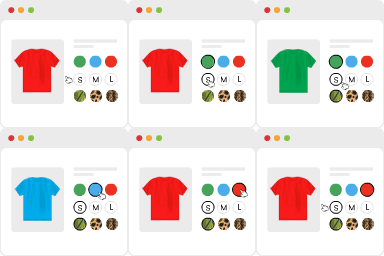
- Let customers customize colors, materials, finishes, and options in real-time within the 3D viewer
- Increase engagement and time spent on product pages
- Drive higher average order values through personalization
- Ideal for customizable furniture, fashion items, and made-to-order products
Automatic 3D Model Compression (Pro)
- Reduce .GLB/.GLTF file sizes by up to 70% automatically
- Industry-standard Draco geometry compression + Basis Universal texture compression
- Faster page loading = better user experience = higher conversions
- Original files are preserved as backup
Coming Soon in Pro
- Advanced analytics — Track AR engagement, device types, and conversion impact with Google Analytics integration
- Background & bulk compression — Compress your entire product catalog with one click
- Glass mode virtual try-on — AR try-on for eyewear and jewelry with face tracking
- Desktop WebAR — AR experiences in desktop browsers without needing a phone
- Multi-model AR scenes — Display multiple products together for room planning
Upgrade to Pro Now — Plans start at $49.99/year with a 14-day money-back guarantee.
How It Works — 3 Simple Steps
- Install & Activate — Search “AtlasAR” in Plugins > Add New, install, and activate. Configure your settings from the AtlasAR dashboard menu.
- Upload 3D Models — Edit any post or WooCommerce product, find the AtlasAR metabox, and upload your .GLB and .USDZ files. Optionally set a poster image.
- Go Live — The 3D viewer and “View in AR” button appear automatically on your pages. Use the
[atlas_ar]shortcode for custom placement anywhere.
For WooCommerce stores: Go to AtlasAR Settings and set “Enable AR For Post Types” to product.
AI 3D Model Generation with Tripo3D
No 3D models? No problem. AtlasAR integrates with the Tripo3D API so you can generate production-ready .GLB models from simple text descriptions — no Blender or 3D modeling software needed.
- Get your free API key from Tripo3D.
- Paste it in the AtlasAR Integration settings.
- Open any post or product, type a description (e.g., “modern office chair, gray fabric”), and click Generate Model.
- Preview the generated 3D model and click Save This Model to publish it.
Real-World Use Cases
- Furniture & Home Decor — Let customers place sofas, tables, and chairs in their rooms before buying. Office Chair Demo
- Wall Art & Mirrors — Preview paintings, prints, and mirrors on real walls through the phone camera. Wall Art Demo
- Electronics & Appliances — Show product dimensions and features in AR with hotspots (Pro)
- Jewelry & Accessories — Interactive 3D viewing with detailed product annotations (Pro)
- Architecture & Real Estate — Showcase 3D building models and floor plans
- Education & Museums — Display interactive 3D artifacts and educational models
- Fashion & Custom Products — Product configurators for color and material personalization (Pro)
AtlasAR vs Other 3D Viewer Plugins
Unlimited Free Uploads
AtlasAR: Unlimited models, no restrictions | Others: Often limited to 1–10 models in free versions
iOS AR Support (Free)
AtlasAR: Full native .USDZ Quick Look | Others: Android-only or locked behind Pro/premium
WooCommerce Integration
AtlasAR: Native, automatic, zero-coding | Others: May require separate add-ons or manual setup
AI 3D Model Generation
AtlasAR: Free via Tripo3D API | Others: Premium-only or not available
Automatic Model Compression
AtlasAR: Up to 70% file size reduction (Pro) | Others: Manual compression or not available
Product Dimensions in AR
AtlasAR: Real-world size display (Pro) | Others: Not available
Product Configurators
AtlasAR: Colors, materials, finishes (Pro) | Others: Not available
Technical Specifications
- 3D Formats: .GLB, .GLTF (Android/Web/Desktop 3D viewer), .USDZ (iOS AR Quick Look)
- Mobile AR Requirements: Android 9.0+ (ARCore), iOS 12+ (ARKit)
- WordPress: Version 5.6 and above
- WooCommerce: Version 3.0 and above
- PHP: Version 7.4 and above
- Page Builders: Gutenberg (native block), Elementor, WPBakery, Divi, Beaver Builder (via shortcode)
- Performance: Async model loading, lazy loading on archives, optimized mobile rendering
- Pro Compression: Draco geometry + Basis Universal texture compression (up to 70% reduction)
Check Out Our Other Plugin
Text To Speech TTS Accessibility — The most user-friendly Text-to-Speech plugin for WordPress. Install and automatically add an audio player to your posts and pages.