Create and manage events with EventKoi Lite, a free events calendar plugin for WordPress.
This modern, easy-to-use WordPress events calendar plugin lets you schedule unlimited in-person and virtual events and display them using flexible calendar and event list views.
Easily embed your events calendar anywhere on your WordPress site using blocks, shortcodes, and dynamic tags.
The best events calendar plugin for WordPress
Why choose EventKoi Lite as your WordPress events calendar plugin?
✓ Free plugin with EventKoi Pro available.
✓ Simple, clean event management without the bloat.
✓ Fully customizable WordPress event page template.
✓ Free Elementor events calendar widget
✓ Extensible, developer-friendly.
✓ Actively maintained with excellent support and amazing documentation.
How to add events to a WordPress site with EventKoi
Events are created inside EventKoi with a modern, simple UI.
See step-by-step guide on creating events with EventKoi (with screenshots).
Event features:
- Events are a custom post type.
- Add multiple event days, each with a separate time.
- Create unlimited in-person and virtual events.
- Easily embed Google map. No API needed.
- Date, time and timezone follows WordPress site.
- Localisation-ready.
- Fully customisable WordPress event page template in the block editor
How to add an events calendar to a WordPress site with EventKoi
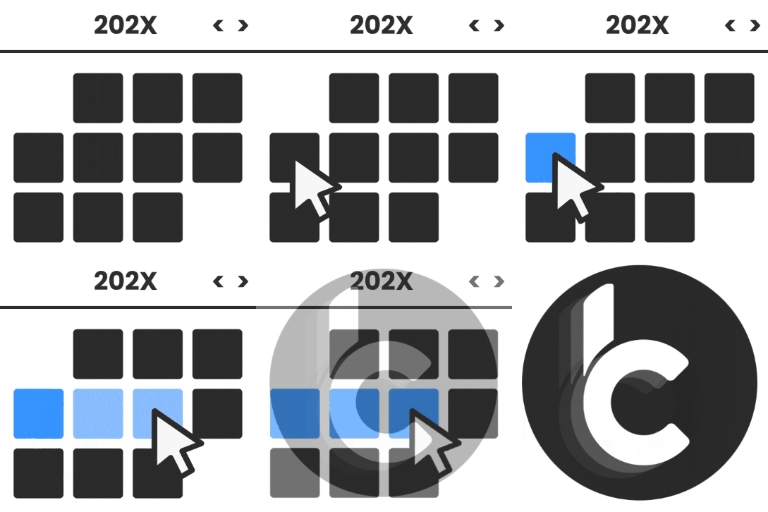
Embed an EventKoi calendar using shortcodes or the EventKoi Events Calendar block.
See step-by-step guide on embedding a calendar to your site (with screenshots).
Calendar features:
- Calendars are a separate taxonomy.
- Calendars are fully accessible with ARIA labels and keyboard navigation.
- Auto-detect timezone of site visitors (visitors see events in their own timezone – great for virtual events!)
- Customise calendar slug
- Add event to calendar (Google Calendar, iCalendar, Outlook 365, Outlook Live)
- Share event (Whatsapp, Instagram, Email, Facebook, X, Linkedin, Link)
- Select 12/24 hour clock
- Choose specific month and year to display
- Select which day the week starts on
How to display an events list in WordPress with EventKoi
Any events calendar can be viewed as a events list or grid. Display an events list using shortcodes, or the Event Query Loop block.
See step-by-step guide on using the Event Query Loop block to add an events list to your site.
Events list features:
- Display events list or grid
- With the Event Query Loop block you can display events list based on:
- Date range
- Sort by start date, event name
How to customize a WordPress event page template with EventKoi
EventKoi Lite comes with a fully customisable event template. You can add event data and design the template from scratch without code in the block editor.
See step-by-step guide on customising a WordPress events template (with screenshots and video).
Template features:
- Add dynamic data via meta keys or shortcodes.
- Fully customisable without code.
Free integrations in EventKoi Lite
- Elementor: Calendar widget and Event widget
- More page builder and form builder integrations coming soon!
EventKoi Pro – Advanced events calendar features
- Recurring events
- Create advanced rules for events that repeat daily, weekly, monthly, yearly,
- Edit individual event instances (custom name, location, description, and more)
- Includes event series page
- See step-by-step guide on creating recurring events with EventKoi Pro
- Unlimited calendars
- Segment your events by calendar (e.g. free events vs paid events) and colour.
- Advanced Elementor events calendar integration
- Use dynamic tags and Elementor Loop Grid widget to build custom events lists in Elementor.
- Priority support
- 30-day money-back guarantee
Helpful links
- EventKoi documentation
- EventKoi blog
- Get help from our Support Forum (please check existing threads before starting a new one)
- Contact us (for non-support related questions)
External services
This plugin can connect to the Google Maps JavaScript API in order to display interactive maps inside event and calendar views.
It sends your configured Google Maps API key (if provided) along with requests made by the visitor’s browser when viewing a page that contains an embedded map. No personal data is sent by the plugin itself, but Google may collect usage data in accordance with their policies. This connection only happens if maps are enabled in the plugin settings and a page with an event location map is viewed.
This service is provided by Google LLC: Terms of Service, Privacy Policy.