By default, WordPress allows a single logo for your website.
With Logo Per Page, you can change the logo depending on the page the visitor is viewing.
Using it
Enable the plugin and go to Pages to create a new page or edit an existing one.
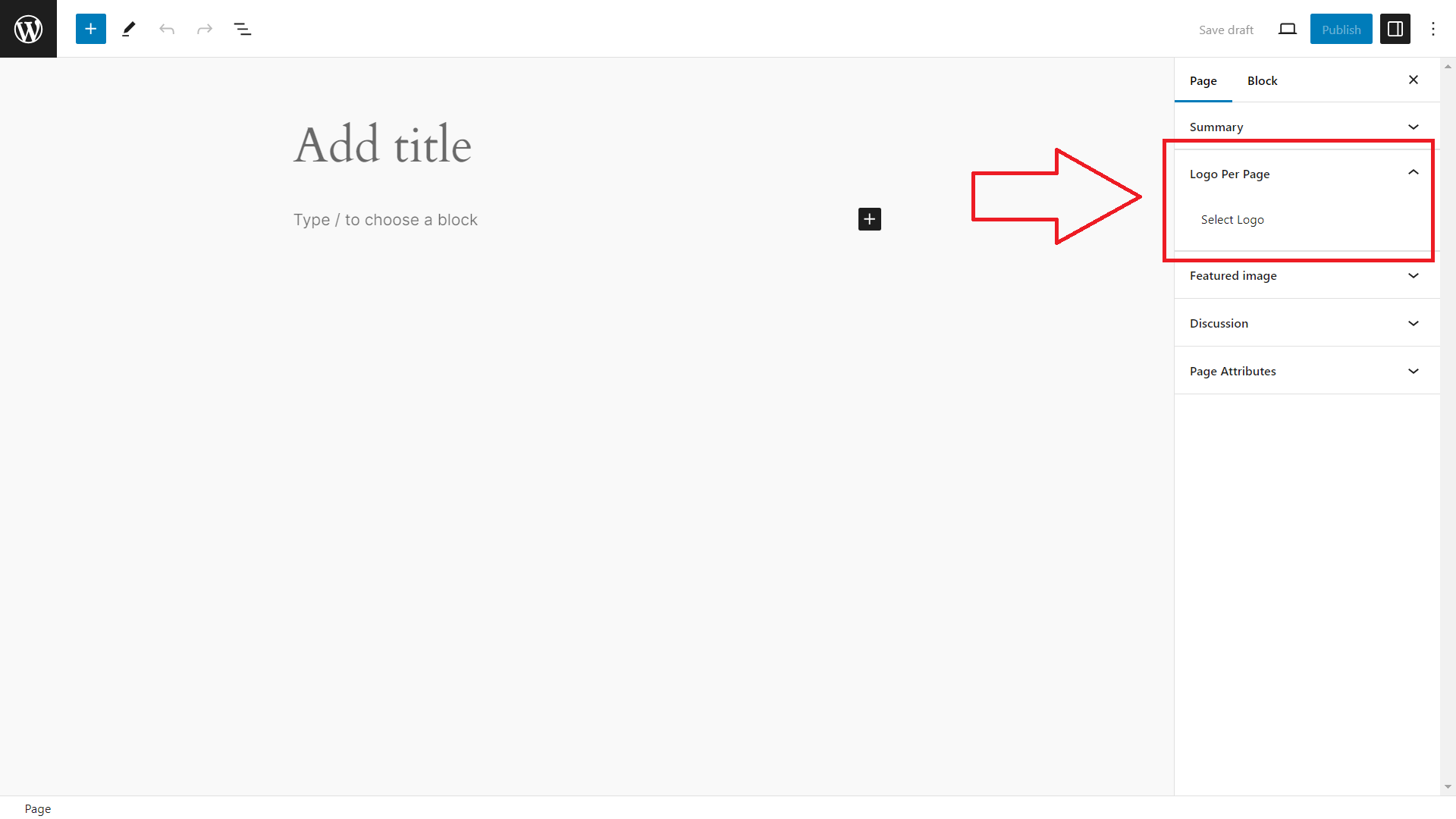
If your theme supports setting a custom logo, in the sidebar you now have an extra panel titled “Logo Per Page’.
- Create new page or edit an existing page
- Sidebar has option “Logo Per Page”. Click to open.
- Click “Select Logo” to set an alternate logo to display for this page
- Publish the page and view your site to see the alternate logo displayed on that page.