Lordicon offers a unique library of modern, animated icons designed to bring life and interactivity to your WordPress site. With this plugin, you can seamlessly browse, customize, and insert Lordicon icons directly into the Gutenberg editor.
Built to be fast, lightweight, and easy to use, the Lordicon plugin helps you enrich your content with motion graphics that stay performance-friendly. Whether you need subtle interactions or eye-catching animations, Lordicon provides the flexibility to match your brand and design style.
Features
- Extensive free icon set (with attribution)
- Full icon library available in PRO version (no attribution)
- Insert icons directly into Gutenberg blocks
- Customize color, stroke, animation type, and trigger
- Optimized rendering with image fallbacks and lazy-loading for performance
Why Choose Lordicon?
Fully Customizable
Modify icons directly within WordPress: choose colors, animation triggers (hover, click, loop), and more.
Peak Performance
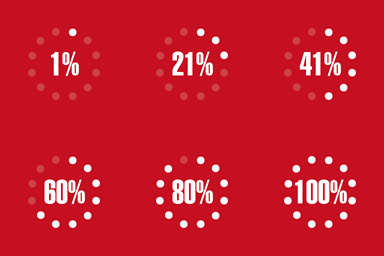
Icons are rendered using image fallbacks on initial load and transition to animated formats only when users interact with them—keeping your pages fast and smooth.
License-Friendly
Stay compliant with free personal or commercial use through clearly defined licensing plans.
License
The plugin code is licensed under GPLv2 or later.
However, the Lordicon icons themselves are licensed separately under the Lordicon License Terms and Conditions.
Development
Source code is available on GitHub:
https://github.com/lordicondev/plugin-wordpress
This plugin includes a frontend build step for its Gutenberg block UI.
- Source files:
/uidirectory (JavaScript/TypeScript, styles, etc.) - Build tool: Vite
- Build output:
/distdirectory (included in the distributed plugin) - PHP files: top-level plugin files – no build process required
Build instructions
Clone the repository and run:
cd ui
npm install
npm run build
This will generate the production-ready frontend assets in /dist.