Zupportly is a powerful, free, and self-hosted ticketing solution that eliminates monthly fees and per-agent costs. It features Unified Agent Management, Automated Ticket Routing, and Role-Based Access Control to securely manage unlimited departments while providing customers a polished frontend portal to track requests. Built with a privacy-first architecture, Zupportly is GDPR-ready, ensuring all support data stays securely on your own server with 100% ownership and no external tracking.
Key features :
- Unified Agent System (WP User-Based)
- Front-end Customer Support Portal
- Intelligent Ticket Auto-Assignment
- Department-Specific Routing
- Read / Unread tracking with ticket count badge on admin menu
- Custom Short Code For New Ticket Page
- Floating Support Chat Bubble
- Auto-refresh on open ticket view — polls every 15 seconds for new replies; shows a pulsing “New reply!” button when updates arrive.
-
Priority levels — Low / Medium / High / Urgent (set by agents only)
-
Custom Agent Avatars & Display Names
-
Live Agent Online Indicator
-
Threaded Chat-Style Conversations
-
Universal Ticket Transfer System
-
Unique Ticket ID Tracking (ZT-XXXXXXXX)
-
Automated Email Notification Engine
-
Modern Card-Style Admin Dashboard
-
Multi-Status Ticket Lifecycle Management
-
Integrated Image Attachment Support
-
Shortcode-Powered Ticket Lookup
-
Full Admin Oversight & Team Stats
-
Self-Hosted Data Security (No External APIs)
-
Responsive UI
Agent & Department Management
– Agents are standard WordPress users with the Ticket Agent role — create them from Users Add New.
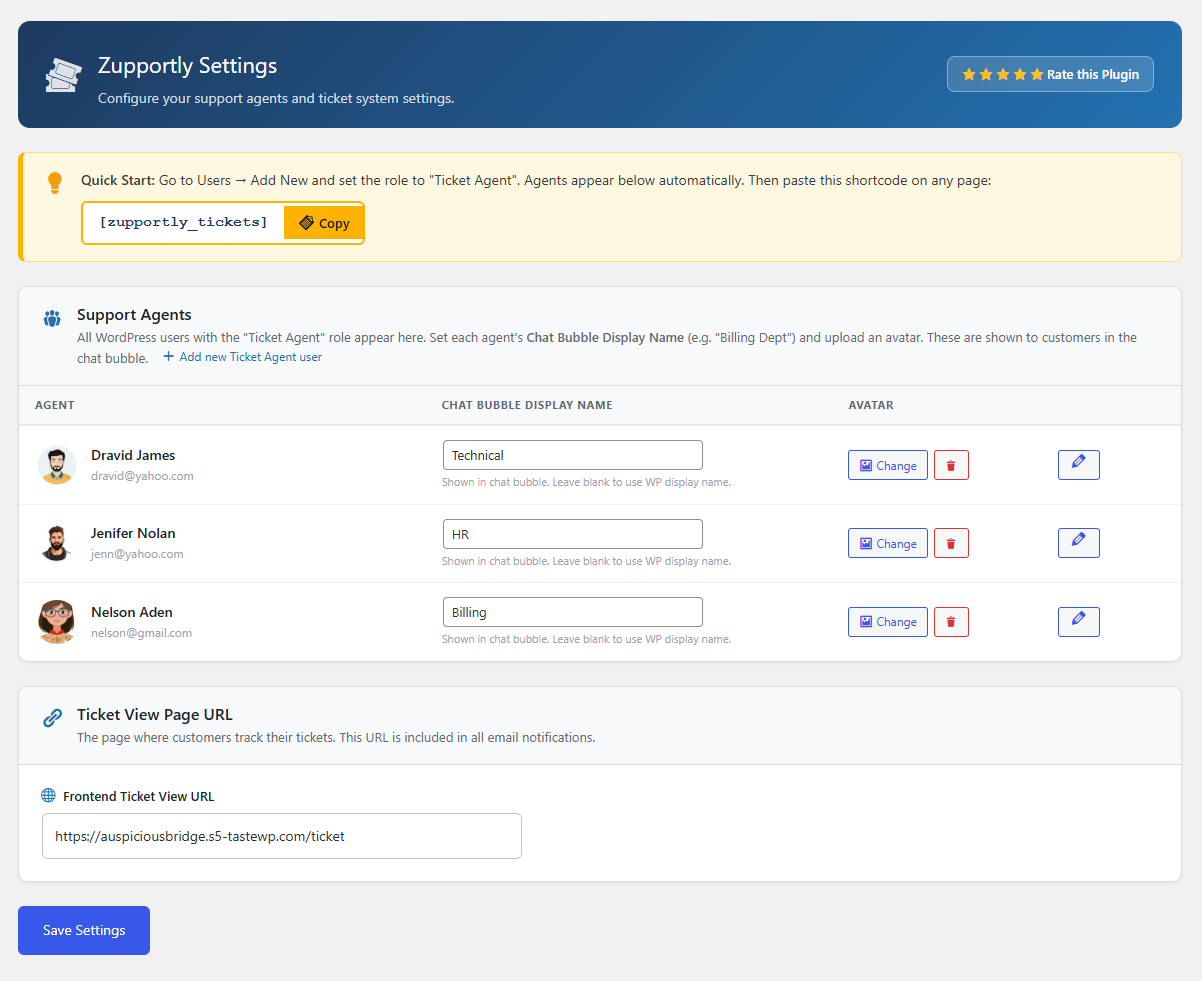
– Each agent gets a custom Chat Bubble Display Name (e.g. “Billing Dept”, “Sales Team”) shown to customers in the chat bubble — completely separate from their WordPress display name.
– Upload a custom avatar per agent via the Settings page using the WordPress Media Library.
– Avatars and department names appear in the chat bubble, ticket list, ticket detail view, and the frontend customer portal.
Chat Bubble
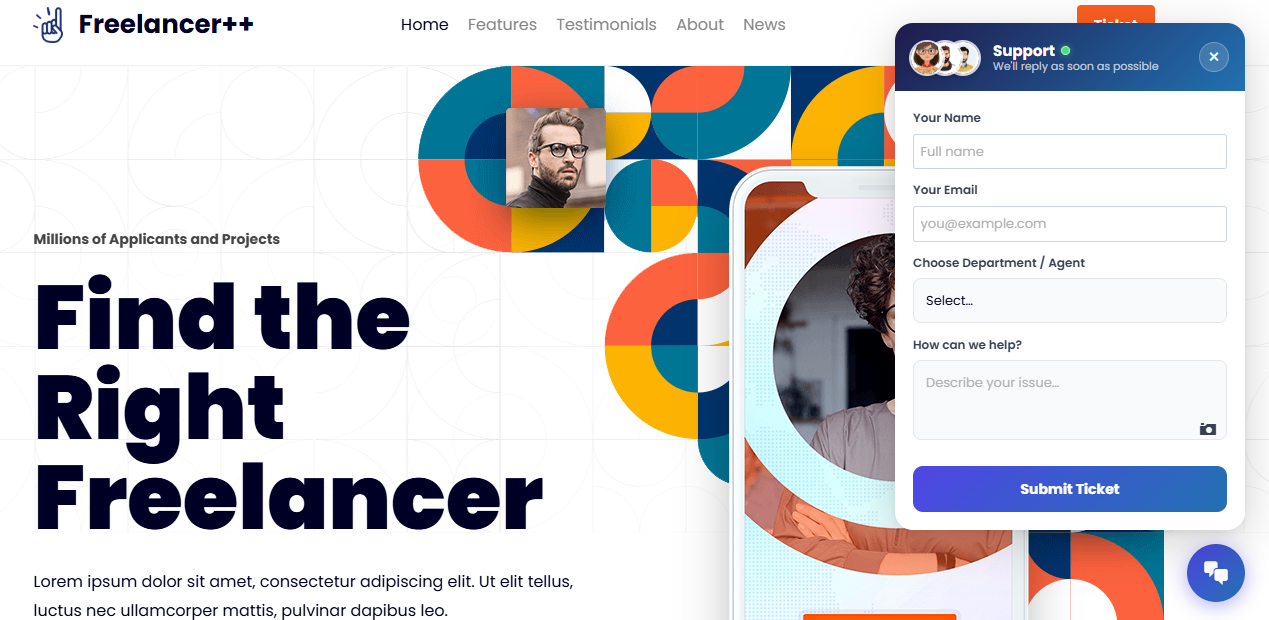
– A floating chat bubble appears on every page of your site, letting customers open a new support ticket in seconds.
– The bubble header shows stacked agent avatars and a live green online indicator next to the “Support” label.
– Customers choose a department/agent from a dropdown that shows the custom bubble display names.
– The close (×) button reliably dismisses the form.
Ticket Lifecycle
– Every ticket gets a unique ID (e.g. ZT-XXXXXXXX) for easy reference and lookup.
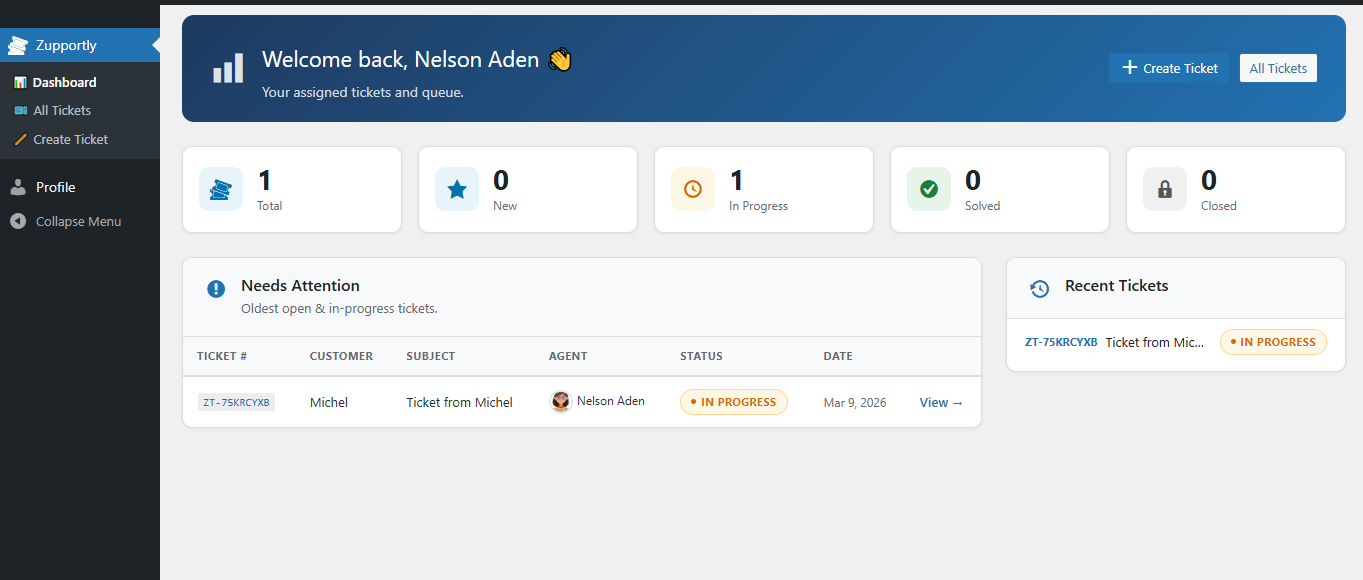
– Statuses: New (blue), In Progress (orange), Solved (green), Closed (grey).
– Unlimited back-and-forth conversation with image attachments in every reply.
– Both agents/admins and customers can close tickets; closed tickets disable further replies.
Agent Assignment & Transfer
– Tickets submitted via the chat bubble are automatically assigned to the chosen agent.
– Agents see all tickets assigned to them plus all unassigned tickets in their list.
– When an agent replies to an unassigned ticket, it is automatically assigned to them.
– Any agent or admin can transfer a ticket to another agent at any time via the Assignment meta box.
– Once transferred, only the new assignee and admins can reply.
Admin Interface
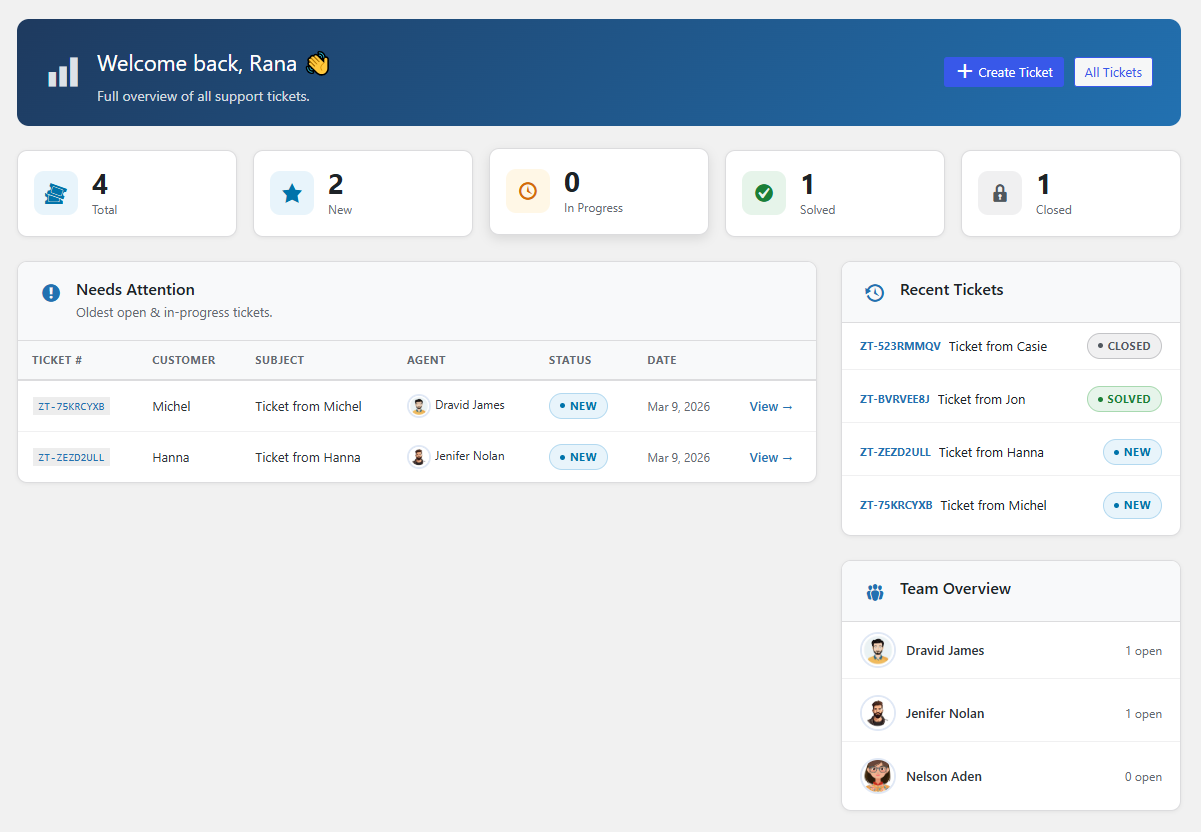
– Dashboard — stats overview (total, new, in progress, solved, closed), recent tickets table, and team overview with open ticket counts per agent.
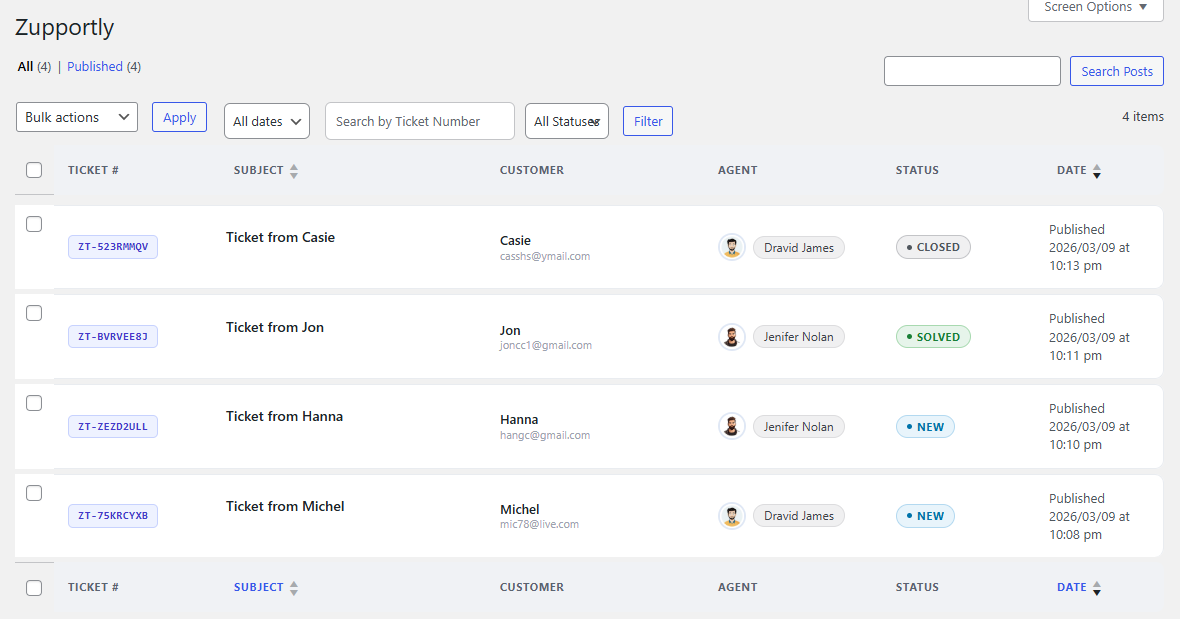
– All Tickets — beautifully styled ticket list with card rows, colour-coded status border accents, ticket number chips, stacked customer info, agent avatars, and inline row actions.
– Ticket Detail — structured details panel, chat-bubble conversation thread (agent right/blue, customer left/green), and a clean reply composer with image attachment support.
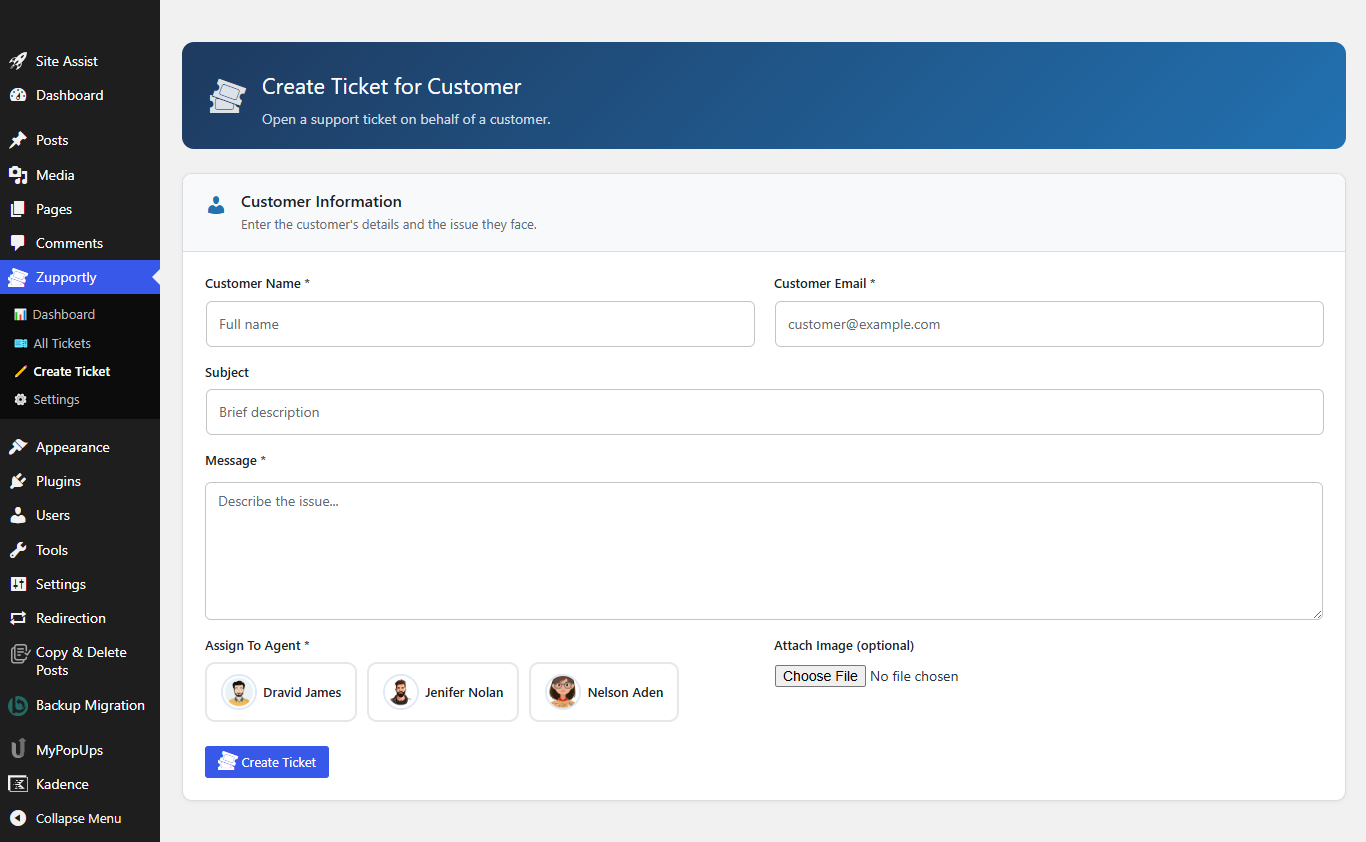
– Create Ticket — agents and admins can create tickets on a customer’s behalf with an agent picker showing avatars.
– Settings — unified agent table pulling directly from WordPress users; set the Chat Bubble Display Name and avatar per agent; configure the frontend Ticket View Page URL.
Frontend Customer Portal
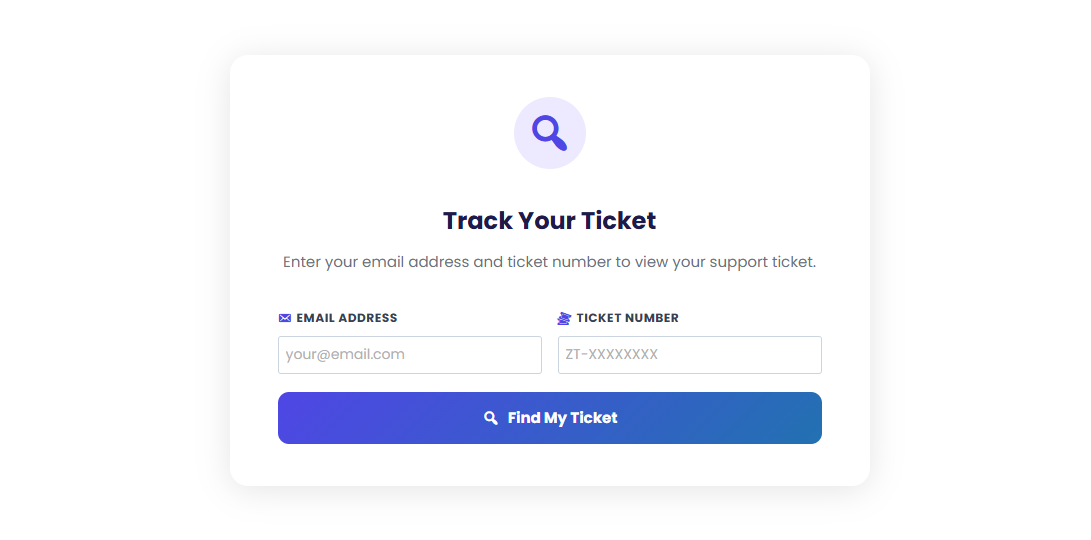
– Shortcode [zupportly_tickets] places a lookup form on any page.
– Customers enter their email and ticket number to view the full conversation thread.
– Modern card design with a gradient header, status pill, chat-style bubbles with agent avatars, and an inline reply input.
– The ticket view is wider and fully responsive for mobile.
Email Notifications
– Agent notified on new ticket assignment with ticket details.
– Customer receives confirmation on submission with their ticket number and a link to the view page.
– Both parties notified on new replies (with image links if attached).
– Ticket view page URL included in all notification emails.
Security & Performance
– All inputs sanitized and escaped. Nonces on every AJAX action.
– Agents only access their own tickets plus unassigned ones — proper capability checks throughout.
– All data stored in your own WordPress database — nothing leaves your server.